Two apps. One care plan.
willowbridge puts the care plan on your patient's phone, and willowbridge care puts the worklist, the chart and the timer in your team's pocket. Both are free on the App Store and Google Play, and both work from the same record your practice keeps in willowbridge.

The care plan you agreed on, readings from home monitoring devices, a quick check-in and a secure line to the care team.



The worklist, the full chart and the encounter timer, for the navigator between calls and the physician between rooms.
The care plan, on the phone they already carry.
Patients see what you agreed on, send what you need between visits, and reach a real person on the care team. It connects to their chart only through your practice.
Their care plan, in plain view
Their current goals, medications with dose and frequency, and the conditions the team is watching — from the latest care plan your team signed in willowbridge.
Readings from home
The latest reading from the monitoring devices your practice provides, a short history, and 90 days of readings by type. The devices come ready to use; there is nothing to pair.
A personal CGM, shared on their terms
Patients who opt in can share glucose readings saved by a supported CGM app through Apple Health or Health Connect — read-only, each time they open the app, and they can stop at any time.
A check-in in two taps
“How are you today?” Good, fair or poor, with an optional note, sent straight to the care team.
A real person on the other end
One secure message thread with the care team, and a “Request a call” button that asks the navigator to call them back.
Visits and calls ahead
Upcoming office visits and phone calls from your practice's athenaOne schedule.
Family on the care team
A one-time code lets a family member add themselves as a care-team contact, so your team knows who they are and how to reach them. It shares nothing from the health record.
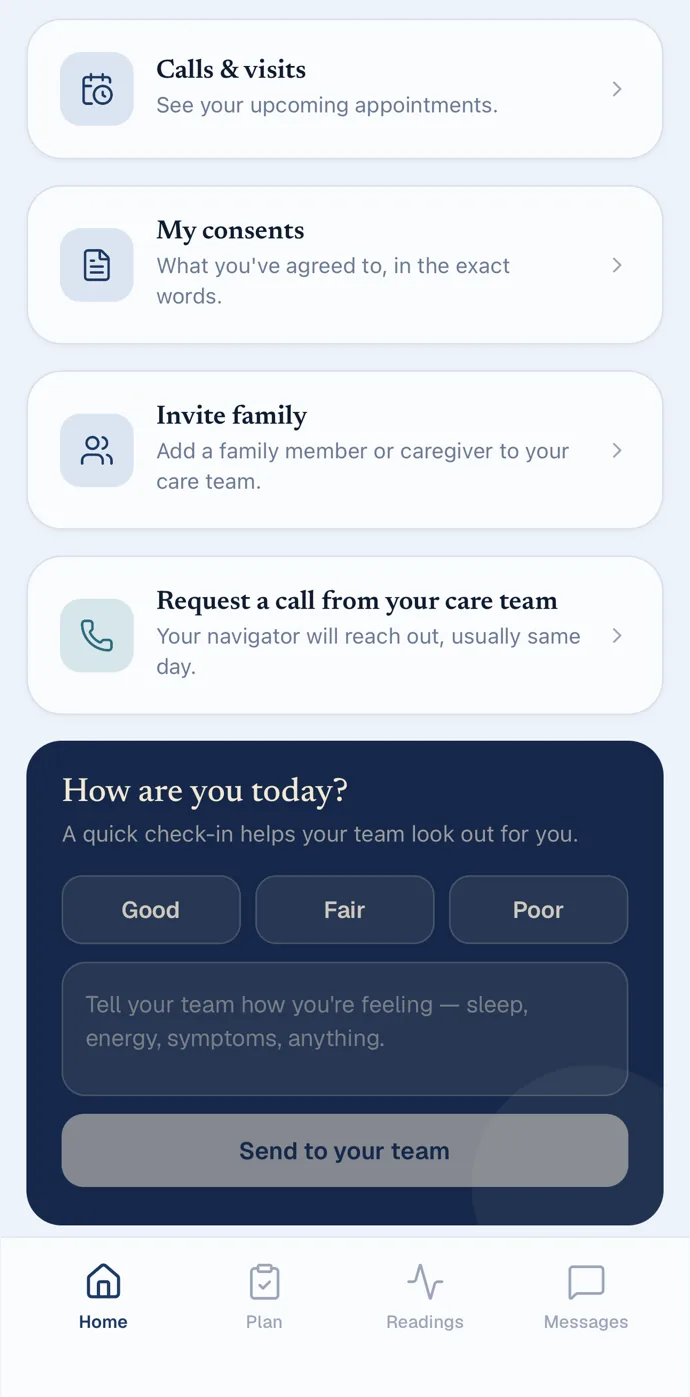
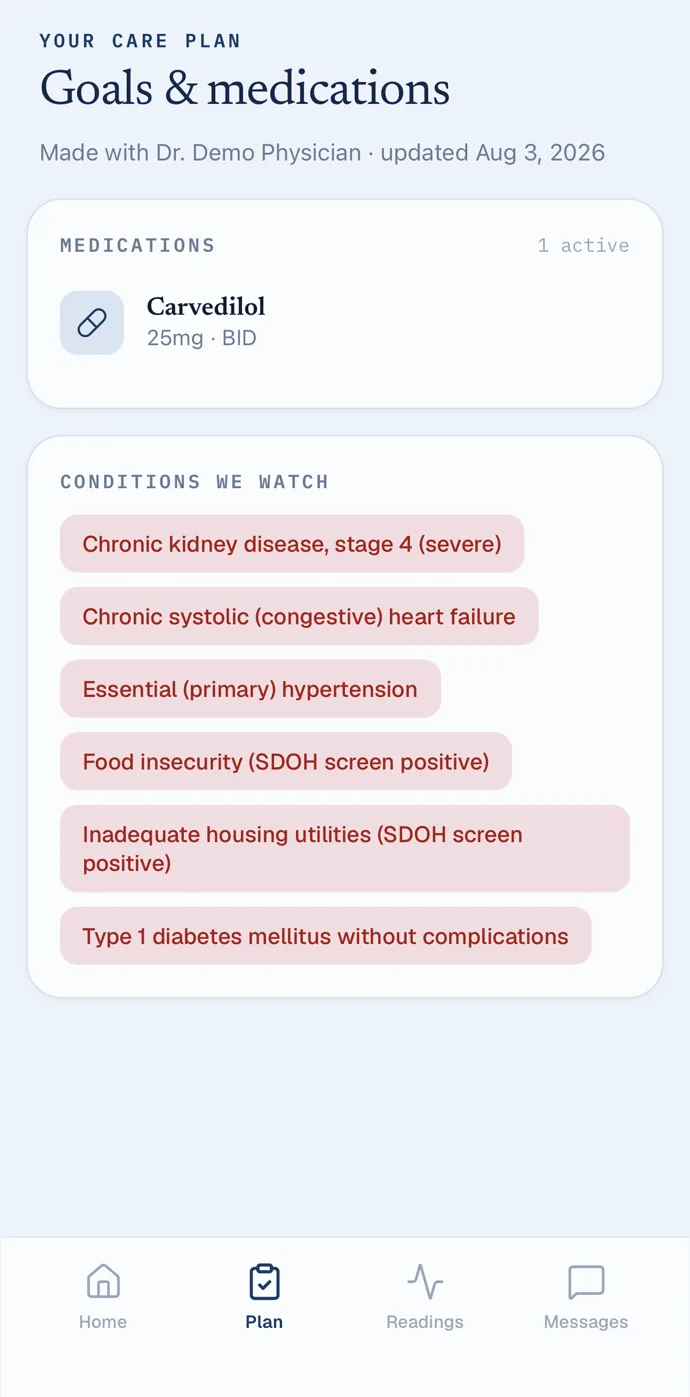
Screens from the willowbridge app, captured in a demo practice with synthetic patients.
How patients get started
- Install willowbridge from the App Store or Google Play.
- Your team shows a registration QR from the chart, or gives them their registration link.
- They scan the QR or paste the link into the app, confirm their date of birth and choose a four-digit PIN.
Private by design
- Locked with Face ID or a fingerprint, with their PIN as the fallback; a cover hides it in the app switcher.
- Care-team notifications never name a condition, a medication or a reading, and an appointment reminder never says who, when or where.
- No ads, and their information is never sold.
- Patients can remove their own access in the app; the medical record stays with your practice.
What it runs on
- iPhone with iOS 15.1 or later, or an Android phone with Android 8.0 or later.
- Patients without the app can open the same private link in any web browser.
The worklist, the chart and the timer, in your pocket.
The same willowbridge your team works on the web, built for a phone: who needs a call, what their plan says, and the minutes that make the month billable.
A worklist that knows who's next
Office visits today, patient messages, patients who still need navigator contact and clinical follow-up — then a prioritized list for your own panel or the whole practice.
The whole chart, editable
Conditions, goals with a goal library, medications, allergies, social needs, advance care planning and the care team (with NPI lookup) — editable on the phone, pulling problems, medications and allergies from athenaOne.
Minutes that count themselves
For navigators and billing providers, opening a chart starts the encounter timer, or picks up the one already running. It follows you between chart sections, pauses when you step away, and closes with a SOAP note. Document a call on the open encounter with its outcome, length and a note, and the app shows before you save whether it adds billable time.
Remote monitoring, handled
Alerts by severity with the reading attached: acknowledge, or resolve with a note. Review in-range readings in bulk, see the cycle's device days and minutes, and log the cycle's interactive call.
Every program at a glance
Each program's enrolled count, how many still need a call this period and, for time-based programs, how many have met the time target. Every patient on a roster opens their chart in one tap.
Consents, scales and sign-off
Capture a program consent with the patient's signature on screen, give a PHQ-9, GAD-7 or PEG scored on the spot, and — for billing providers — sign care plans with an authenticator code, and sign off billing periods with that code or a key on the phone protected by Face ID or a fingerprint.
The patient app, set up in the room
Show the patient a registration QR from their chart and they're connected before they leave.
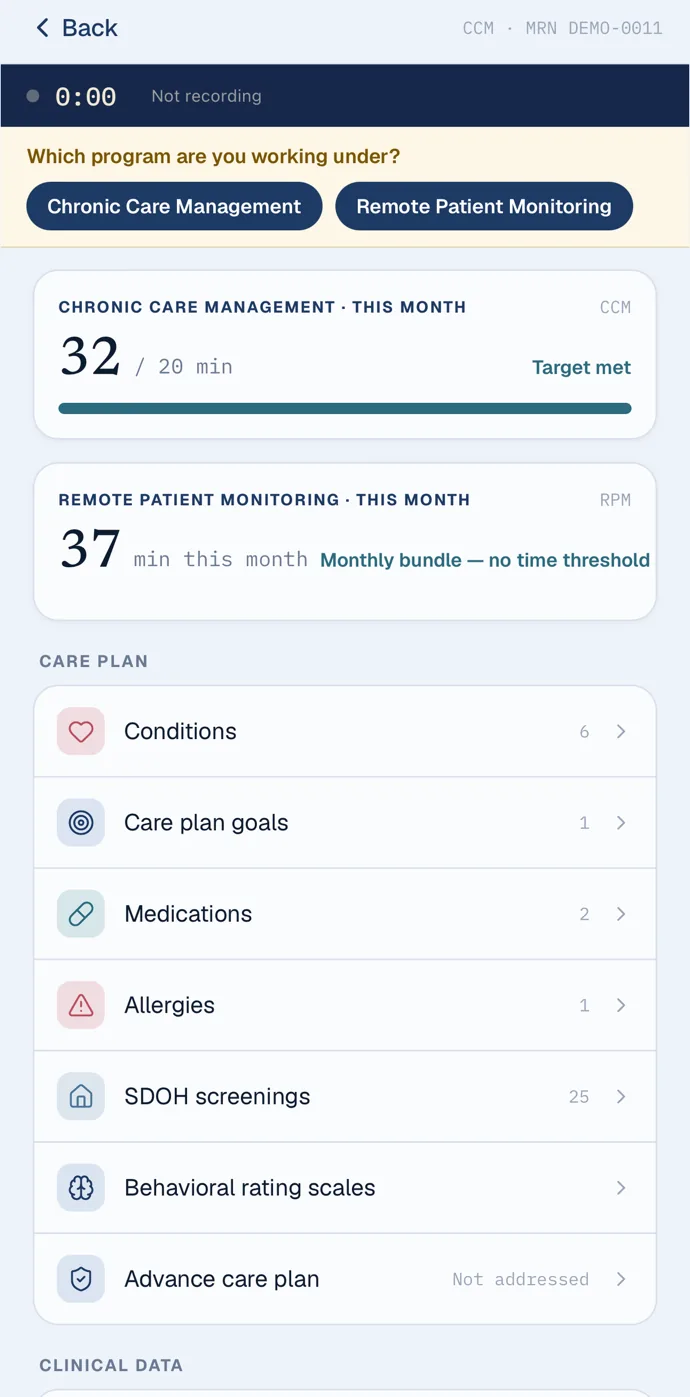
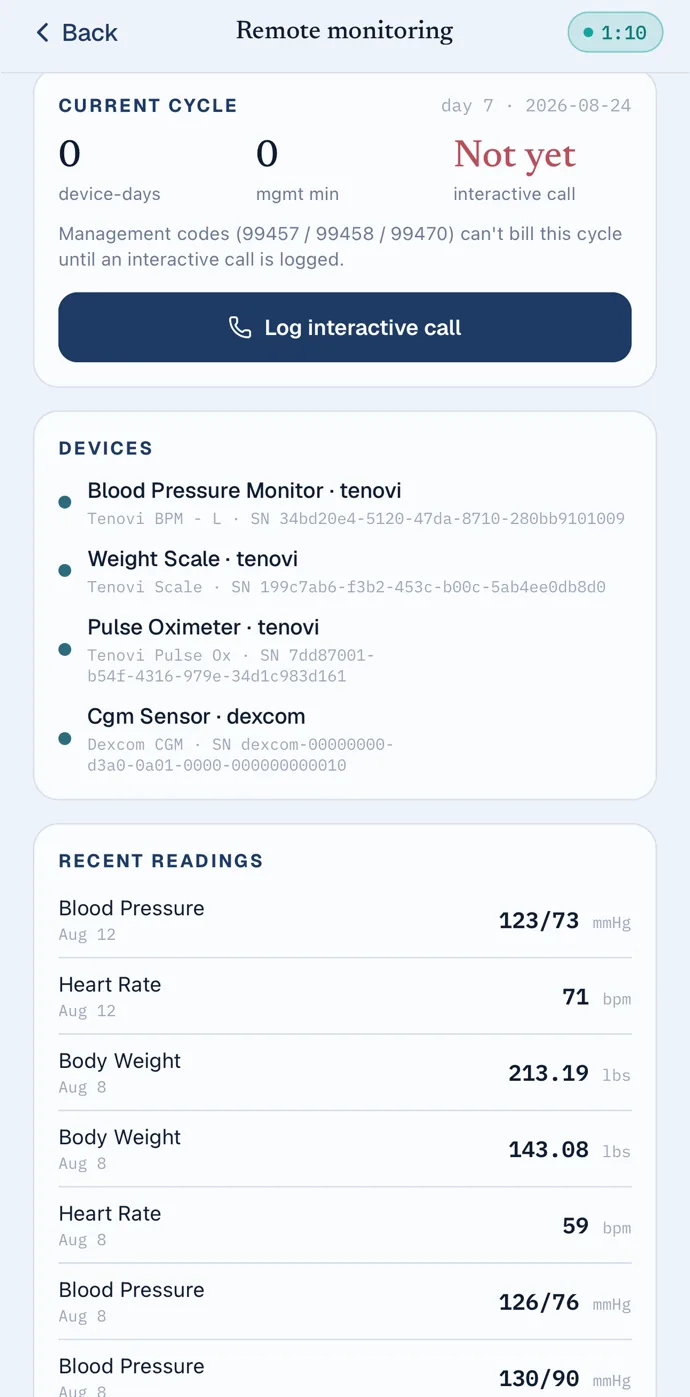
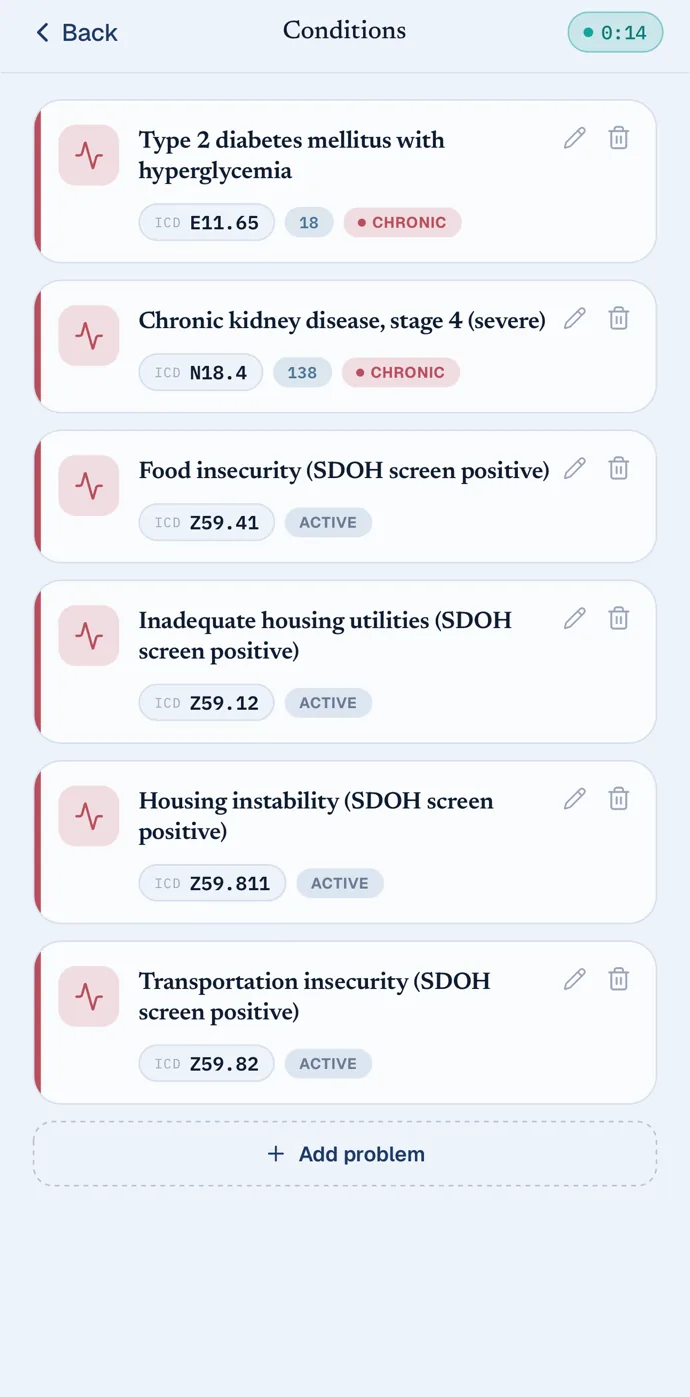
Screens from willowbridge care, captured in a demo practice with synthetic patients.
How your team gets started
- Your practice administrator creates each person's willowbridge login.
- Each person first signs in on the web to set their password and two-factor authentication. Password changes happen there too.
- Install willowbridge care and sign in with your email, password and authenticator code.
Built for a clinical phone
- Locked with Face ID or a fingerprint, or a six-digit app PIN on phones without biometrics.
- Screenshots and screen recording are blocked while you're signed in to your practice.
- Patient data isn't kept on the phone; the chart loads live, behind your sign-in.
What it runs on
- iPhone with iOS 15.1 or later, or an Android phone with Android 8.0 or later.
- A willowbridge account from your practice; there is no sign-up in the app.
Both apps are published by Willowcare LLC and are free to download. willowbridge supports the care your clinicians provide; it does not diagnose or treat, and it is not for emergencies. If you think you are having an emergency, call 911. Neither app places phone calls.
Apple, the Apple logo, iPhone and App Store are trademarks of Apple Inc. Google Play and the Google Play logo are trademarks of Google LLC. Android is a trademark of Google LLC.